Review tracked changes
Create a tracked DOCX edit in code, review it in the embedded editor, and export the decision.
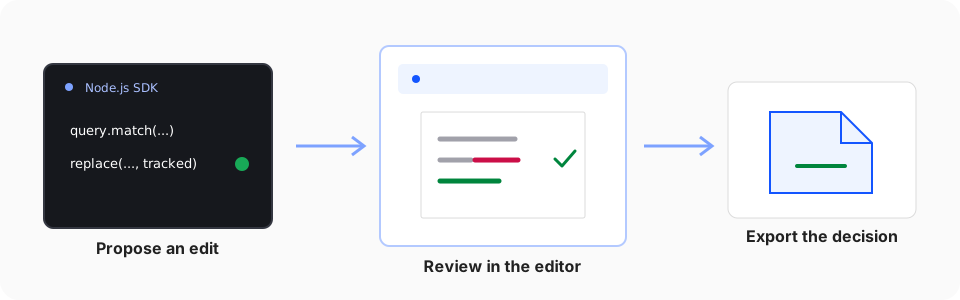
Use tracked changes when code or an agent should propose an edit without making the final decision. This workflow creates a reviewable DOCX with the Node.js SDK, opens that exact file in the editor, and keeps the final decision with a person.
1. Prepare the source document
Download the synthetic NDA and save it as contract.docx. It contains the word termination and one existing tracked change.
Install the SDK in an empty Node.js project:
pnpm add @superdoc/sdk@latest2. Create a tracked replacement
Create propose-change.mjs next to contract.docx:
import { SuperDocClient } from '@superdoc/sdk';

/** @param {unknown} value */
function isSuccessfulReceipt(value) {
  return typeof value === 'object' && value !== null && 'success' in value && value.success === true;
}

const client = new SuperDocClient({
  user: { name: 'Contract assistant', email: '[email protected]' },
});

try {
  await client.connect();
  const doc = await client.open({ doc: './contract.docx' });

  try {
    const match = await doc.query.match({
      select: { type: 'text', pattern: 'termination' },
      require: 'first',
    });
    const result = match.items[0];

    if (!result || result.matchKind !== 'text') {
      throw new Error('The source document does not contain “termination”.');
    }

    const operation = await doc.replace({
      target: result.target,
      text: 'cancellation',
      changeMode: 'tracked',
    });

    console.log(operation);
    const receipt = 'receipt' in operation ? operation.receipt : operation;
    if (!isSuccessfulReceipt(receipt)) throw new Error('Creating the tracked change failed.');
    await doc.save({ out: './contract.suggested.docx', force: true });
  } finally {
    await doc.close({ discard: true });
  }
} finally {
  await client.dispose();
}
The query returns a document-native target. Passing that target to replace() avoids deriving an edit location from rendered HTML or copied character offsets. changeMode: 'tracked' records the replacement as a suggestion. The resolved operation result contains receipt information for inspection. Check it before saving in production workflows.
3. Produce the review file
Run the script:
node propose-change.mjsThe script writes contract.suggested.docx and leaves contract.docx unchanged. Saving to a separate path does not overwrite the open source session, so the final close explicitly discards the in-memory working state after the output is safely written.
4. Review the exact output
Select Open your DOCX below and choose contract.suggested.docx. The file opens locally in the browser. The documentation site does not upload it.
The sample editor loads as this demo enters view. You can also open your own DOCX.
Use the editor review controls to accept or reject each tracked change. The sample document is always available if you want to inspect the review experience before running the script.
5. Export the decision
Export the reviewed document as DOCX. Reopen it in Word or SuperDoc and verify that the accepted text remains, rejected text is restored, and the surrounding formatting is intact.
The same query, target, mutation, and receipt contract works in both hosts. Read the Document API mental model for the boundary behind this workflow.